For school districts having more than a few schools, we highly encourage the use of imports whenever possible. Importing saves time and eliminates data entry mistakes. Our customers also commonly find errors in the source systems, such as invalid cost center codes or invalid function or object codes, through the error checking and error reporting mechanisms built into all of our import modules.
Imports into the FUNDamentals/MyFUNDamentals software are available for the following software vendors and organizations under the following import areas:
- Financial/Accounting
- Central Access - Marathon
- CSI - McAleer
- PAEC Consortium Group in Florida
- Skyward
- Point of Service (Meal Counts, Sales Revenue, and Eligibility)
- OneSource
- KidServe
- WebSmartt
- Nutrikids
- LunchBox
- Mealtime
- Newton
- Skyward
- MealsPlus+
- Inventory Values, Commodity Transfers, and Vendor Purchasing Expenditures
- OneSource
- KidServe
- WebSmartt
- Nutrikids
- LunchBox
- Edison
- SFSD Inventory
- Labor Hours
- Provision Meal Allocation Percentages (Annual or Monthly)
These imports have been designed to be extremely flexible and easy to configure. Visual Solutions offers three types of data imports:
- Generic Text-Based or Spreadsheet - These imports can work with any comma-separated text file or Microsoft Excel spreadsheet that contains the necesary data elements.
- Direct Connection (Vendor Format) - These imports are designed to interface with specific software vendors and products. In cases where the datasource is a SQL Server database, a SQL Server login with read-only access to the datasource is required for implementation. You may provide this document to your database administrator or system administrator to start that process.
- Direct Connection (Generic) - These imports can be configured to connect to any standard database format such as Microsoft Access, SQL Server, MySQL, DB2, and many more. The obviouse advantage to using the Direct Connection import is the elimination of creating and posting text files. The Direct Connection imports allow for user-defined pre-import operations, custom query definition, and post-import operations to be defined making them extremely flexible and easy to setup and maintain. Queries and other operations may be tested independently and query results may be viewed and exported. Once the setup and configuration is complete, users simply click a button.
The field positions for generic imports are completely user-defined and data elements may be the result of a computation on two or more fields. The Meal Counts and Labor Hours imports have the optional ability to import revenues and/or expenditures. All imports create monthly summaries by cost center. All imports provide full error checking and error reporting before the actual import takes place. The user may print the error list and cancel the import in the event that errors were detected. Other custom imports may be purchased based on a small hourly rate. If the vendor and product used in your district are not on the list above, please let us know by calling Visual Solutions at (888) 228-3120.
In order to give you an idea of the data elements needed for each import, the following screen shots have been provided.
Financial Import for FUNDamentals (Generic)
Please refer to the FUNDamentals Financial Import File Specifications Document for detailed information on import file specifications.
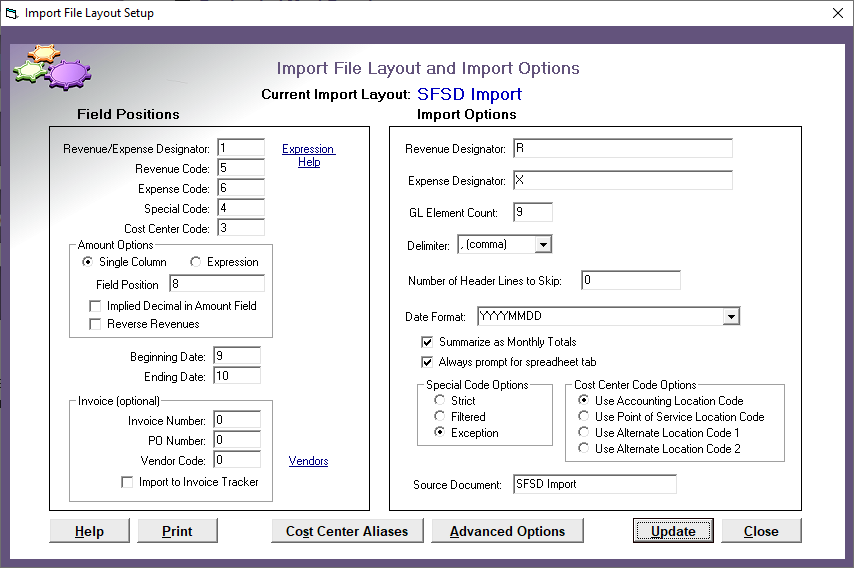
Import File Layout Screen
Please note the data elements in the Field Positions section. The Special Code is an optional means of identifying a particular revenue or expenditure where code combinations are used. The import accepts a wide variety of date formats.
General Ledger Mapping Setup Screen
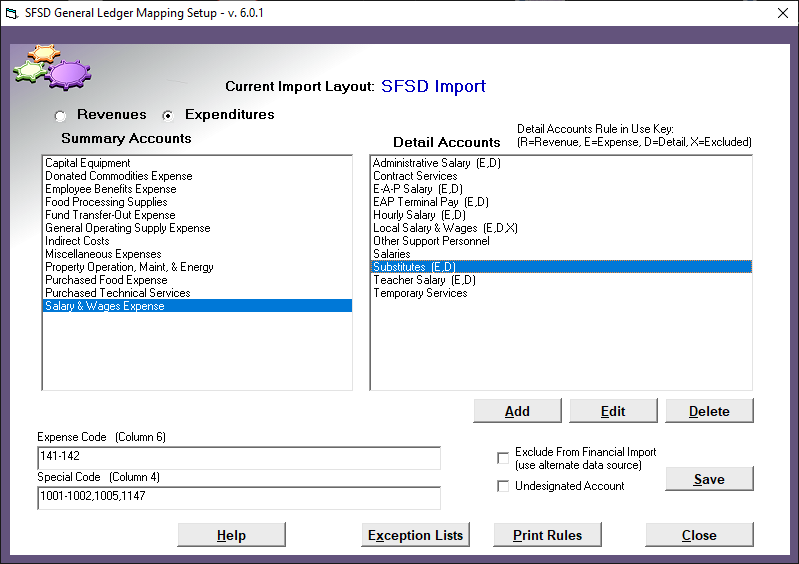
Please note that the expression in the Expense Code box is a range of expense codes. The import also accepts single codes or multiple single codes separated by commas. The expression may even be a combination of single codes and ranges, for example, 610-629, 632, 635-640. Revenue and Expenditure Sub Categories are user-defined and may be added or edited to conform to the local accounting codes. It is common practice to prepend sub account descriptions with the associated function or object code. Also, note that a revenue or expense category or sub category may be excluded from the import. This may need to be done when these revenues or expenditures are being captured from another source, for example, Student Meals Sales or Federal Reimbursements. It may be preferable to capture these from a Point of Service export, or by generating the revenue based on meal counts obtained through a Point of Service export.
More Setup Options
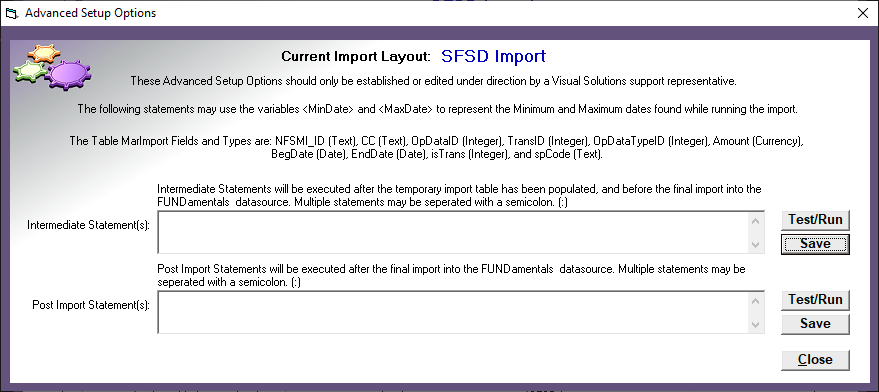
This screen provides even more flexibility to massage the data before the Selection Statement is executed as well as to perform any other necessary operations after the import has completed. A common use for this function is when two or more source cost centers need to be combined.
Point of Service Import for FUNDamentals (Generic)
Please refer to the Point of Service Export File Guidelines Document for detailed information on export/import file specifications.
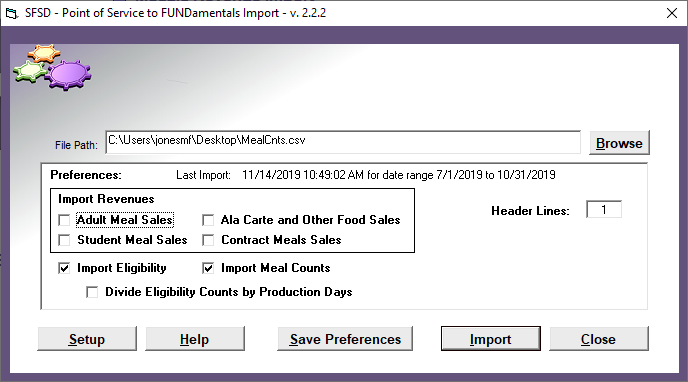
Point of Service Import Module for FUNDamentals Main Screen with Import Options
This screen shows the available import options and preferences for the Point of Service Import Module.
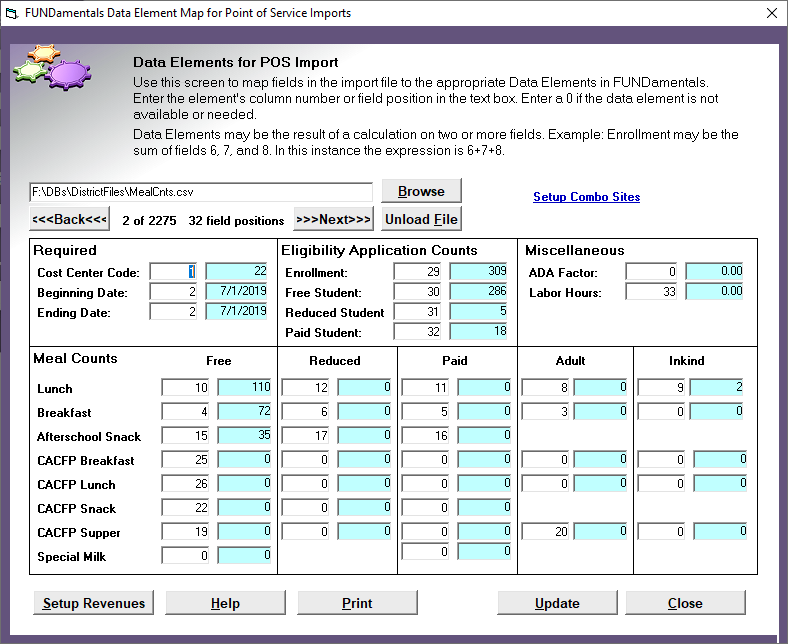
Data Element Mapping Setup Screen
This screen shows available data entry elements for this import. A 0 means that the data element does not have a source and will not be imported. This example shows a useful feature of this import that allows the user to view the elements by actually loading a file and displaying the information as defined by the map.
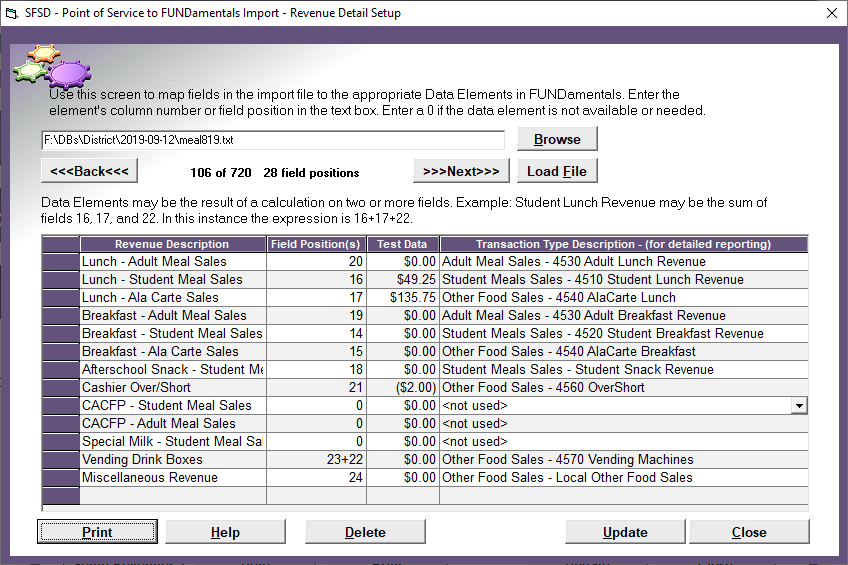
Revenue Mapping Setup Screen
This screen is used to map field positions in the import file to optional revenues. The revenue categories may be user defined and added or deleted as needed. Again, please note that the file has been loaded, and sample data is available for easy setup and troubleshooting.
Inventory Values Import Module for FUNDamentals (Generic)
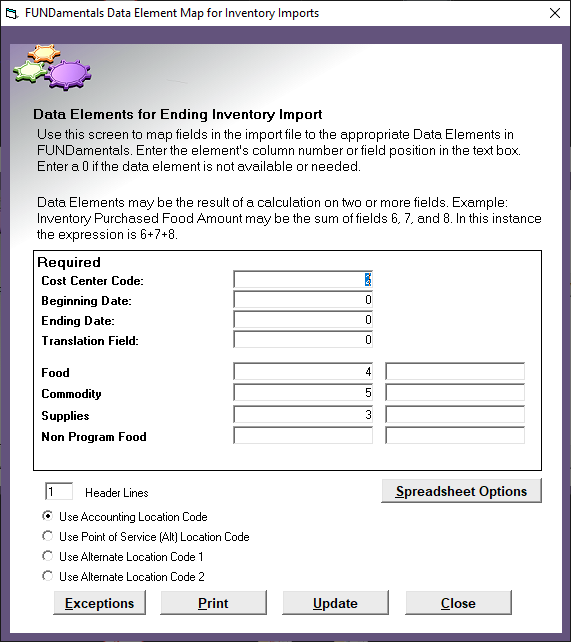
Data Element Mapping Setup Screen
This screen shows the data elements used for the importing of inventory values. The import can be configured to receive files based on either of these layouts:
- Values for Food, Commodity, Supplies, and Non Program Food exist in distinct columns (one record for each cost center)
- Values for Food, Commodity, Supplies, and Non Program Food exist in a single column but may be differentiated using another column (multiple records for each cost center)
Date column(s) are optional. When both date fields are set to 0, the user will select the appropriate month when importing.
This import accecpts comma delimited files or Microsoft Excel Spreadsheets.
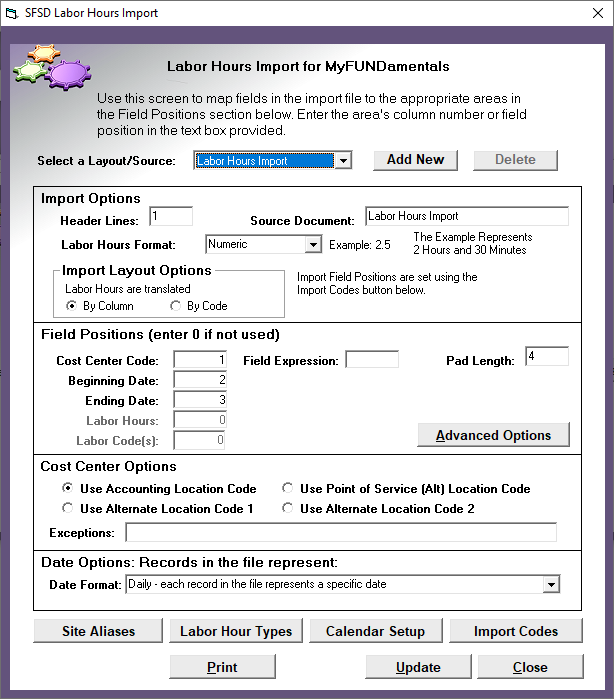
Labor Hours Import Module for FUNDamentals (Generic)
Data Element Mapping Setup Screen
This screen shows the required data elements needed for the Labor Hours Import. Notice the option for Labor Hour Formatting. The example shown is using a payroll system export with a total time column expressed in hours and minutes. (e.g. 8:15) In this instance the import will convert this value to a decimal format. (e.g. 8.25)